Whether you want to digitize handwritten meeting notes, navigate phone screens with surgical precision, annotate dense textbooks on digital paper, or convert physical print into speech, the "smart pen" category has evolved into several high-performance hardware branches.
The right device depends entirely on where your input starts and where you want your output to live:
- Flagship Styluses (S Pen & Apple Pencil): Designed for active touchscreen displays, offering sub-millisecond latency, gesture controls, and pressure-sensitive drawing.
- E-Ink Digital Paper (Kindle Scribe): Designed for distraction-free reading, long-form document annotation, and paper-like handwritten notes with zero glare.
- Overhead OCR Document Scanners (CZUR): Designed for fast, non-destructive digitization of bound books, legal briefs, and textbooks at up to 1.5 seconds per two pages.
- Physical Paper-to-Cloud Pens (Neo Smartpen & Livescribe): Real ink pens with infrared micro-cameras that record real handwriting and synced audio directly to your phone or notebook apps.
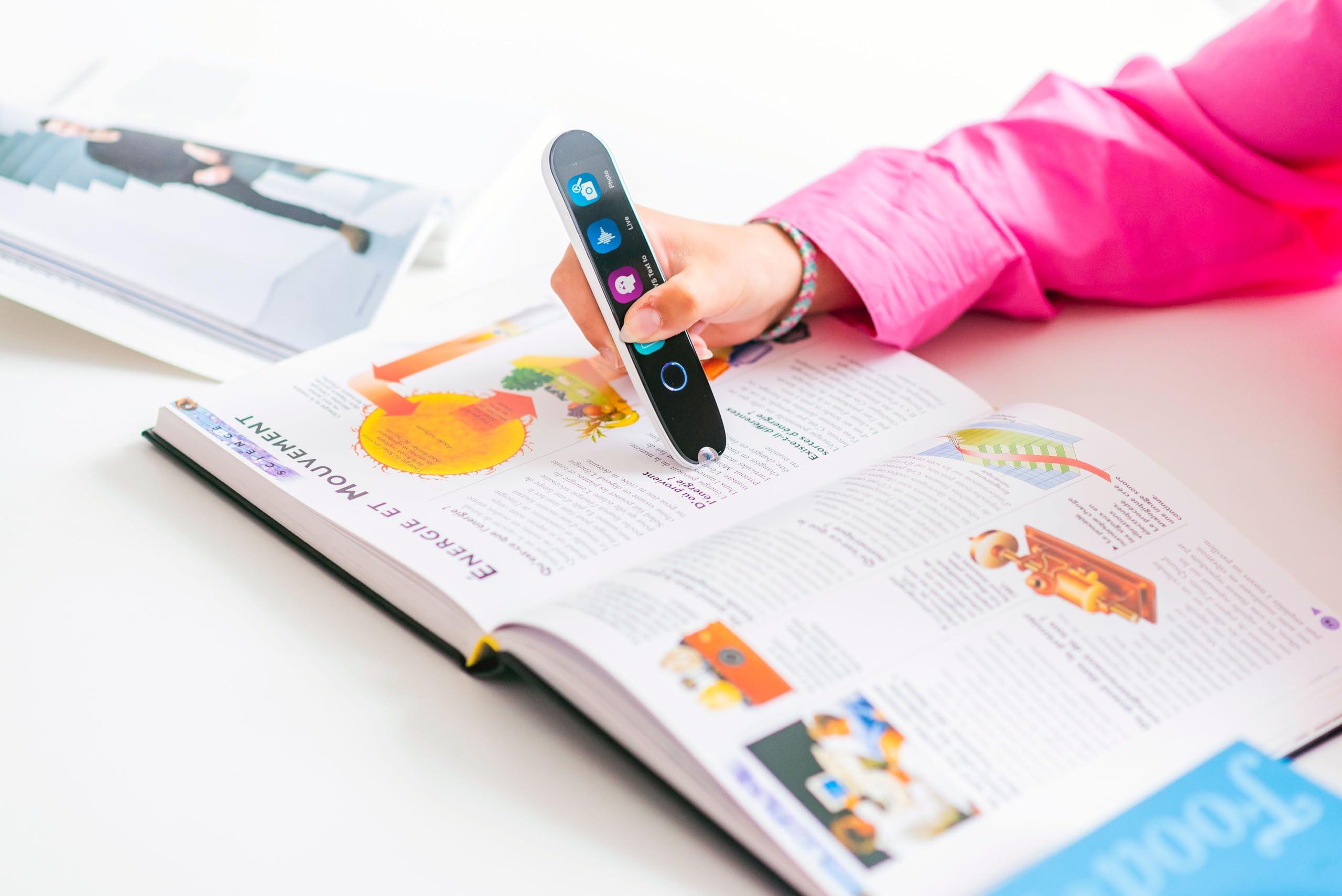
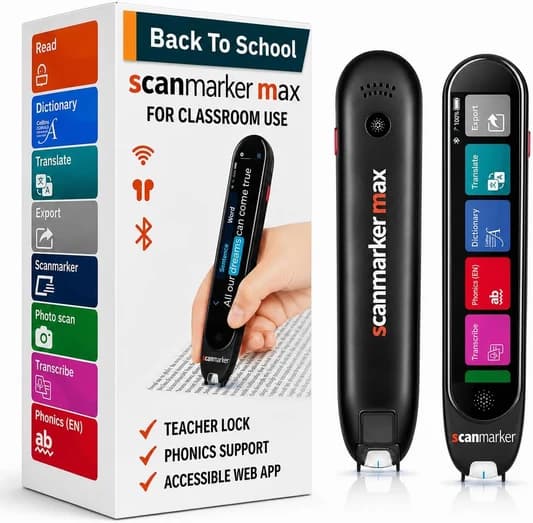
- Optical OCR Reading Pens (Scanmarker Max): Handheld scanners that glide across printed books and documents to vocalize text aloud and translate across languages completely offline.
Here is an in-depth comparison of the top smart pens, styluses, and document digitizers ranked by performance, reliability, and value.
Quick Summary & Top Recommendations
| Category | Recommended Model | Best For | Typical Price | Direct Link |
|---|---|---|---|---|
| Flagship Phone & Built-in Stylus | Samsung Galaxy S25 Ultra (512GB) | All-in-one productivity, AI summaries & notes | $1,099–$1,299 | View on Amazon |
| Official Phone Stylus Replacement | Samsung Galaxy S25 Ultra S Pen | S Pen replacement, Air Command, remote trigger | $49.99 | View on Amazon |
| Next-Gen S Pen Stylus | Samsung Galaxy S26 Ultra S Pen | High-precision writing, drawing & phone navigation | $49.99 | View on Amazon |
| Smart Wearable Companion | Samsung Galaxy Ring (AI Smart Ring) | Sleek biometric tracking with zero monthly subscription | $399.99 | View on Amazon |
| E-Ink Digital Paper & Notebook | Amazon Kindle Scribe (10.2" w/ Premium Pen) | Glare-free book reading, margin notes & PDF markup | $339–$419 | View on Amazon |
| High-Volume Book & Document OCR | CZUR ET MAX Professional Scanner (38MP) | Scanning bound books and thick manuals (1.5s/page) | $599 | View on Amazon |
| Book Spine Flatbed Scanner | Plustek OpticBook 3800L | 1200 DPI CCD, 6mm edge eliminates spine shadow | $299 | View on Amazon |
| Portable Overhead Document Scanner | CZUR Shine Ultra (24MP) | Portable desktop scanning, receipts & student archives | $199–$249 | View on Amazon |
| Real Ink-to-Cloud Digital Pen | Neo Smartpen M1+ | Physical handwriting digitized to cloud apps in real time | $129–$149 | View on Amazon |
| Offline Reading & Assistive OCR Pen | Scanmarker Max | Instant text-to-speech, dyslexia help & translation | $299 | View on Amazon |
1. Samsung Galaxy S Pen & Galaxy Ultra: The Gold Standard for Mobile Precision
For smartphone users, the Samsung Galaxy S Pen remains the benchmark for mobile active styluses. Unlike capacitive rubber-tip pens that merely simulate a blunt finger, the S Pen uses Wacom-derived electromagnetic resonance (EMR) technology combined with Bluetooth Low Energy (BLE).
Why the Samsung Galaxy S25 Ultra Leads
The Samsung Galaxy S25 Ultra 512GB integrates the S Pen directly into its titanium chassis. It features:
- Zero Battery Anxiety for Inking: Writing and drawing require zero internal pen power; the display itself powers the tip via induction.
- Air Command & Remote Camera Shutter: The internal capacitor charges in under 40 seconds when docked, enabling remote camera clicks, presentation slide controls, and gesture navigation.
- Galaxy AI Handwriting Clean-Up: Notes scrawled during phone calls or field visits are instantly straightened, summarized into bullet points, and converted to searchable plain text.
Replacing a Lost S Pen
Because of its compact form factor, S Pens are among the most frequently replaced accessories. If you own an S25 Ultra or an upcoming model, always buy the original equipment manufacturer (OEM) replacement to preserve 4,096 levels of pressure sensitivity, tilt support, and IP68 water resistance:
- Official Samsung Galaxy S25 Ultra S Pen Replacement ($49.99)
- Samsung Galaxy S26 Ultra S Pen ($49.99)
The Companion Wearable: Samsung Galaxy Ring
For mobile professionals seeking a complete smart ecosystem without wearing a bulky smartwatch to bed, the Samsung Galaxy Ring ($399) provides continuous heart-rate tracking, skin-temperature sleep metrics, and gesture support with up to 7-day battery life and no monthly subscription fees.
2. Amazon Kindle Scribe: The Premier E-Ink Digital Notebook
If your primary goal is reading, studying, and handwritten note-taking without notification distractions, the Amazon Kindle Scribe with Premium Pen is unmatched.
- Paper-Like Tactile Friction: The 10.2-inch 300 ppi glare-free Paperwhite screen provides a textured surface that feels remarkably close to real paper and pencil.
- Premium Pen with Dedicated Eraser: The included Premium Pen requires no charging, attaches magnetically to the side, and features a physical shortcut button alongside an intuitive top eraser.
- Direct Margin Notes in Books: Annotate millions of Kindle titles, import work PDFs via the Send-to-Kindle cloud, and organize multiple personal notebooks with cloud backup.
- Battery Life Measured in Weeks: Unlike iPads that require daily charging, the Scribe runs for weeks on a single USB-C charge.
3. Apple Pencil Pro: The Benchmark for Tablet Artists & Note-Takers
For users in the Apple ecosystem, the Apple Pencil Pro represents a significant generational leap:
- Barrel Roll Gyroscope: Rotating the pen barrel changes the orientation of shaped brush tips and calligraphy pens dynamically.
- Squeeze Gesture: A custom force sensor in the grip detects gentle squeezes to bring up contextual tool palettes instantly without tapping menus.
- Haptic Feedback: Gentle vibrations confirm selection changes, snapping alignments, and eraser toggles.
- Find My Integration: Easily locate a misplaced stylus through Apple's Find My app network.
4. Overhead Book Scanners: CZUR ET MAX & Shine Ultra
When you need to digitize hundreds of pages of printed material—such as bound university textbooks, historical ledgers, legal documents, or classroom workbooks—a handheld pen scanner would take too long. This is where overhead book scanners excel.
CZUR ET MAX (Professional 38MP Overhead Book Scanner)
The CZUR ET MAX is designed for non-destructive, ultra-high-speed book digitization:
- 38MP Document Camera & Laser Curve-Flattening: Three cross-firing lasers calculate the curvature of a bound book spine in real time, automatically outputting flat, clean dual pages with 38MP clarity.
- Blazing Speed: Digitizes two facing pages in approximately 1.5 seconds. With the included foot pedal, you can scan an entire 300-page book in under 10 minutes.
- Built-in ABBYY OCR: Converts images directly into searchable PDFs, editable Word docs, and Excel sheets in over 180 languages.
- Alternative Book Flatbed: For zero-shadow flatbed scanning, the Plustek OpticBook 3800L features a patented 6mm book-edge glass designed specifically to eliminate book spine shadows without unbinding pages.
CZUR Shine Ultra (Portable Desktop Document Scanner)
For students and home offices needing high-volume scanning in a compact, foldable footprint, the CZUR Shine Ultra 24MP provides 24-megapixel capture, smart paging, and fingerprint removal at half the weight.
5. Real-Ink Digital Pens: Neo Smartpen & Livescribe
If you love the tactile feel of real ballpoint ink on genuine paper but need your handwriting automatically synced to your cloud folders, consider real-ink smartpens:
- Neo Smartpen M1+: Features an ultra-slim aluminum body, automatic on/off sensor, and an infrared camera that reads Ncode micro-patterns on paper notebooks, digitizing your strokes directly into the Neo Studio app.
- Livescribe Symphony: Simultaneously records classroom lecture audio or meeting discussions via your smartphone while recording handwritten notes. Tapping any written word on the page plays back the exact audio recorded when that word was jotted down.
6. Handheld OCR Reading Pens: Scanmarker Max
While styluses write and overhead scanners digitize full books, handheld OCR pens solve a distinct, high-stakes problem: instant printed text decoding and assistive reading.
The Scanmarker Max glides across individual lines of printed text:
- Standalone Audio Playback: Embedded text-to-speech reads sentences aloud through built-in speakers or Bluetooth earbuds with zero internet or phone connection required.
- Essential Reading Support: Vital for individuals managing dyslexia, ADHD reading fatigue, or second-language barriers.
- Offline Translation: Translates printed text across more than 30 major languages directly on the device.
Buying Guide: How to Match Your Need to the Right Tool
To avoid buying the wrong technology, match your workflow to your primary objective:
- If you need mobile productivity on an Android smartphone: Choose the Samsung Galaxy S25 Ultra. If you already own one and lost the pen, grab the Official S25 Ultra S Pen Replacement.
- If you read long books and want handwritten margin notes: Choose the Kindle Scribe with Premium Pen.
- If you digitize bound books, manuals, or legal binders: Choose the CZUR ET MAX 38MP Overhead Scanner or the Plustek OpticBook 3800L flatbed.
- If you struggle to decode printed words or need offline translation: Choose the Scanmarker Max.
- If you sketch and take handwritten notes on an iPad: Choose the Apple Pencil Pro.
Frequently Asked Questions
Can an S Pen work on regular paper?
No. An S Pen does not contain physical ink. It operates via electromagnetic resonance (EMR) sensors embedded beneath the glass digitizer of compatible Samsung screens. To write on physical paper while digitizing notes, use a device like the Neo Smartpen M1+ or Livescribe Symphony.
Do I need to charge a Samsung S Pen for it to write?
Basic pen functions—including handwriting, drawing, screen tapping, and cursor hovering—require zero battery power. The display digitizer powers the internal induction coil. Battery power is only used for remote Bluetooth Low Energy (BLE) features such as air gestures and the remote camera shutter.
Is the Kindle Scribe better than an iPad for taking notes?
For pure reading and writing, many users prefer the Kindle Scribe because its matte e-ink screen eliminates glare, prevents eye fatigue, and feels like real paper. It also avoids email, social media, and app notifications. However, for color illustrations, web research, multitasking, and typing, an iPad paired with an Apple Pencil Pro is far more versatile.
How does an overhead book scanner differ from a pen scanner?
An overhead book scanner (like the CZUR ET24 Pro) sits above a desk and photographs two full open pages simultaneously in 1.5 seconds, using algorithms to flatten the curved book spine. It is built for bulk archiving. A pen scanner (like the Scanmarker Max) is a handheld wand designed to glide across individual lines of text to read words aloud, translate on the fly, or paste text directly into active documents.
What is the advantage of the Samsung Galaxy Ring over a smartwatch?
The Samsung Galaxy Ring offers continuous biometric and sleep tracking in a discreet, lightweight titanium band with up to 7 days of battery life. It has no screen to distract you or light up at night, requires no ongoing monthly subscription, and syncs seamlessly with Samsung Health on devices like the Galaxy S25 Ultra.
Tagged Topics
- #smart pens
- #S Pen
- #Kindle Scribe
- #digital note taking
- #buyer's guide
Dedicated Solution
Compare Scanmarker Products
Read IEP/504 accommodations, district trials, and research-backed outcomes.
Need a pen for tonight — or a district evaluation kit?
Order online with a 30-day money-back guarantee, compare specs side by side, or request a district pilot.