A student or adult struggling with printed text does not typically suffer from an intellectual or comprehension deficit; they suffer from a mechanical decoding bottleneck.
When 80% of a learner's working memory is exhausted sounding out phonemes, untangling letter inversions, and tracking print line by line, little cognitive bandwidth remains for semantic comprehension, contextual inference, and critical reasoning.
Assistive pen readers solve this precise friction point. By gliding an optical scanner over physical text—whether on a textbook page, an exam paper, a classroom worksheet, or a workplace technical report—the device recognizes characters via optical character recognition (OCR) and immediately articulates the words aloud through clear synthetic speech. The reader hears the language through headphones while simultaneously viewing the printed glyphs, transforming an exhausting decoding struggle into fluid, autonomous reading.
However, selecting the right assistive reading pen requires understanding how device hardware, educational disability law, and institutional exam policies intersect. This comprehensive guide provides parents, educators, special educational needs coordinators (SENCOs), and workplace accessibility officers with a rigorous evaluation framework for 2026.
Standalone vs. Connected: The Essential Architectural Divide
Every assistive reading pen falls into one of two distinct categories: standalone hardware or connected peripheral devices. Selecting the incorrect category is the single most common purchasing mistake made by parents and procurement teams.
| Architectural Feature | Standalone Reading Pens | Connected Peripheral Pens |
|---|---|---|
| Benchmark Models | Scanmarker Max, Scanmarker PAL, C-Pen Reader 2 | Scanmarker Air, Scanmarker Pro, Scanmarker USB |
| Host Device Requirement | None (100% self-contained hardware) | Requires paired smartphone, tablet, Chromebook, or PC |
| Audio Output | Built-in speaker + 3.5mm headphone jack + Bluetooth | Audio routed through host computer or mobile device |
| Onboard Display | Built-in color touchscreen or LCD display | None (visual feedback appears on host computer monitor) |
| Classroom / Exam Legality | High: Approved for proctored testing & distraction-free study | Restricted in testing rooms; requires host screen supervision |
| Primary Value Proposition | Immediate read-aloud autonomy, privacy, zero screen distraction | High-speed text digitization directly into Word, Docs, or Excel |
| Offline Language Engine | Up to 30 languages completely offline (Max) | Dependent on companion app (up to 112 online languages) |
Legal Frameworks: Assistive Technology Rights Under IDEA, Section 504 & the ADA
Assistive reading accommodations are not optional "privileges" or academic perks; they are federally protected civil rights for qualified individuals:
1. The Individuals with Disabilities Education Act (IDEA)
Under 34 CFR § 300.324(a)(2)(v), an IEP team must consider whether the child needs assistive technology devices and services in order to receive a Free Appropriate Public Education (FAPE). If an evaluation demonstrates that a reading pen allows a dyslexic student to access standard grade-level curriculum materials in the general education classroom, the school district is legally obligated to provide the device at no expense to the parents.
2. Section 504 of the Rehabilitation Act
Section 504 guarantees reasonable accommodations to prevent discrimination based on disability. Students who do not require specialized instruction under an IEP may still qualify for a Section 504 Plan specifying that an assistive reading pen be permitted during all classroom assignments, quizzes, and proctored examinations.
3. Americans with Disabilities Act (ADA) in Higher Education & Workplace
Title II and Title III of the ADA mandate equal access in universities and workplace environments. Adults with documented reading or visual disabilities have the right to request reasonable accommodations, including assistive scanning hardware to review printed materials, contracts, and internal manuals.
4. UK JCQ Regulations & "Normal Way of Working" (NWoW)
Under UK Joint Council for Qualifications (JCQ) rules, an exam-compliant reading pen (such as the C-Pen Exam Reader 2 or Scanmarker Max in Exam-Lock Mode) is permitted in GCSE and A-Level examinations without requiring an Access Arrangements Online (AAO) application, provided the SENCo confirms the pen reflects the candidate's established Normal Way of Working.
The 5 Core Evaluation Pillars for Assistive Reading Pens
When specifying an assistive reading device for an IEP, 504 Plan, or workplace accommodation, evaluate hardware against these five clinical pillars:
           [1. Exam Compliance & Lockout Security]
                             │
     ┌───────────────────────┼───────────────────────┐
     ▼                       ▼                       ▼
[2. Auditory Privacy]  [3. Multisensory]   [4. Data Sovereignty]
   (Discreet 3.5mm)       (Screen Sync)       (Zero Cloud/FERPA)
                             │
              [5. Typographic Contrast Agility]
                 (6pt-24pt font flexibility)
1. Certified Exam Compliance & Lockout Architecture
In standardized testing (ACT, SAT, AP, GCSE, state benchmarks), regulations strictly ban devices that provide dictionary definitions, internet translation, or local file storage.
- Dedicated Exam Hardware: Models like the C-Pen Exam Reader 2 permanently omit storage and dictionary modules.
- Dual-Mode Exam Lock: The Scanmarker Max offers a superior hybrid solution: a PIN-protected Exam-Lock Mode. Proctors enter an administrative PIN before the test, locking out dictionaries and translation, leaving only approved text-to-speech active. After the test, the proctor unlocks the pen, returning it to an all-in-one daily study tool.
2. Audio Discretion and Social Stigma
Adolescent students frequently abandon assistive tools if the device makes them feel visibly singled out. Bulky camera headsets or holding a smartphone over a desk draws unwanted attention. A sleek, highlighter-sized pen paired with standard wired earbuds looks like ordinary study gear, preserving student dignity.
3. Multisensory Synchronous Tracking
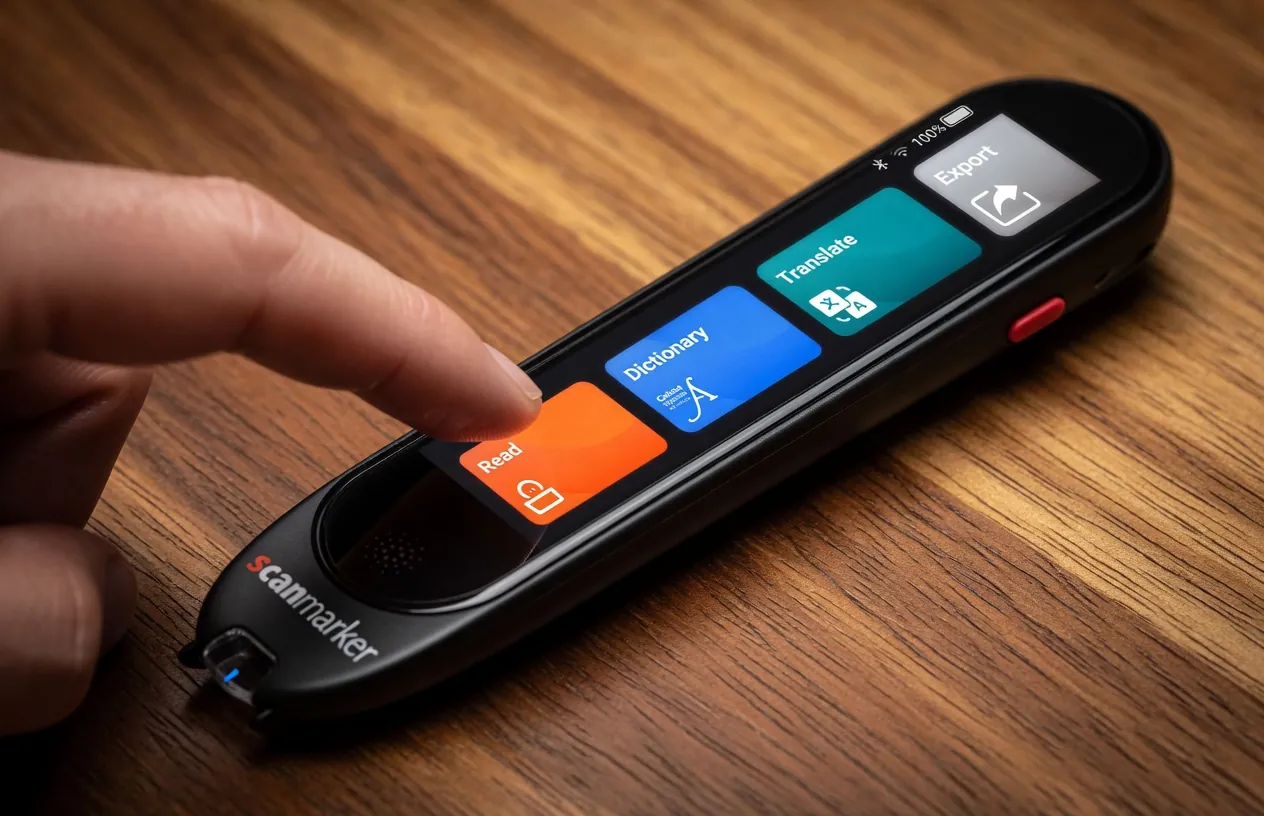
Educational neuroscience confirms that simultaneously seeing and hearing text significantly improves decoding retention. The Scanmarker Max displays scanned words on its color touchscreen, highlighting each word in synchronization with the synthetic voice.
4. Zero Data Collection & FERPA/COPPA Compliance
Deploying cloud-connected software in public schools requires lengthy IT security reviews. Standalone reading pens like Scanmarker Max and Scanmarker PAL contain zero Wi-Fi radios and collect zero student telemetry, eliminating administrative compliance friction.
5. Typographic Versatility
Classroom materials range from glossy textbooks and colored worksheets to 6pt historic reprints and yellowed paperbacks. The optical sensor must accommodate font sizes between 6pt and 24pt, provide left-to-right and right-to-left orientation toggles, and handle curved book gutters.
How to Get an Assistive Reading Pen Into an IEP or 504 Plan
Follow this practical roadmap to secure school district approval and funding:
- Request an Assistive Technology (AT) Evaluation: Submit a written request to your school's Special Education Director or 504 Coordinator requesting an objective AT assessment under IDEA § 300.324.
- Conduct Classroom Trial Sessions: Gather quantitative data comparing reading fluency, comprehension accuracy, and completion times with and without the reading pen.
- Draft Specific Accommodation Language: Ensure the IEP or 504 accommodation is written clearly.
- Recommended Wording: "Student shall be permitted the use of a standalone, offline text-to-speech reading pen with headphone access for all independent reading, classroom worksheets, and testing."
- School Purchase Order Execution: Once specified in the IEP, the district's assistive technology coordinator can procure the hardware directly via tax-exempt institutional purchase orders.
Frequently Asked Questions
Can an assistive reading pen be used on official exams like the SAT, ACT, and GCSEs?
Yes. Under both US testing accommodation guidelines and UK JCQ regulations, exam-approved reading pens are permitted for students with documented reading accommodations. The device must either have dictionary and storage features permanently disabled (like the C-Pen Exam Reader 2) or feature a secure, proctor-verified Exam-Lock mode (like the Scanmarker Max).
Does our school district have to pay for the reading pen?
If an assistive reading pen is documented in an approved Individualized Education Program (IEP) as necessary for the student to access the curriculum, the school district is legally required under the Individuals with Disabilities Education Act (IDEA) to provide the device and related training at no cost to the family.
What is the difference between Scanmarker Max and Scanmarker PAL?
Both are completely standalone reading pens that require no phone or computer. The Scanmarker Max ($299) features a 2.4-inch color touchscreen, built-in dictionary lookups, 30 offline translation languages, and an exam-lock mode for high school and college students. The Scanmarker PAL ($179) is engineered for younger elementary students, offering single-button read-aloud simplicity with a high-contrast screen and zero digital distractions.
Will using an assistive reading pen prevent a student from learning how to read?
No. Research from the International Dyslexia Association proves that assistive text-to-speech tools bypass mechanical decoding fatigue, allowing students to access age-appropriate vocabulary and conceptual ideas. Hearing words pronounced accurately while seeing them in print actually reinforces orthographic mapping and reading fluency.
Can adults use assistive reading pens in the workplace?
Yes. Under Title I of the Americans with Disabilities Act (ADA), employees with dyslexia, ADHD, or visual impairments can request an assistive reading pen as a reasonable accommodation to review printed correspondence, contracts, technical manuals, and workplace reports.
Do reading pens work on computer monitors or tablet screens?
Reading pens are optically calibrated to read physical ink on paper. Scanning computer or smartphone screens often causes optical glare and display refresh rate flickering that interferes with character recognition. For digital screen reading, software screen readers are recommended.
Reviewed by
Dr. Rebecca Thorne, Ed.D.Director of Special Education & Assistive Technology Coordinator
Dr. Rebecca Thorne consults with school districts, state departments of education, and university accessibility offices on assistive technology assessments, IEP accommodation design, and legal compliance under IDEA and Section 504.
Tagged
- Assistive Technology
- Reading Pens
- Accommodations
- Dyslexia
- Buyer's Guide
- Special Education
- IEP 504
See the full solution
Compare Scanmarker Products
Need a pen for homework tonight — or a district quote?